 Miao
Miao
Open-source AI creative agent
One thread calls GLM, DeepSeek, Doubao, Seedream, and Seedance. Every still or clip stays on an infinite canvas. Local-first. Bring your own keys. There is no Miao cloud.
What MIAO means
Four letters, four jobs the product actually does.
Models
Text, image, and video in one thread. GLM, DeepSeek, Doubao, Seedream, Seedance, and more to come.
Intelligence
An agent that plans, confirms the choices that matter, and runs multi-step production.
Assistant
A creative partner on a canvas, not a prompt box. Compare, reuse, and export in place.
Open
MIT licensed. Web and macOS desktop. SQLite on your machine. No Miao cloud.
16 September 2026
Guided skills
Three production workflows now start from the Projects page. Click a skill, or type / in the agent composer, and Miao walks the edit with you in the current project.
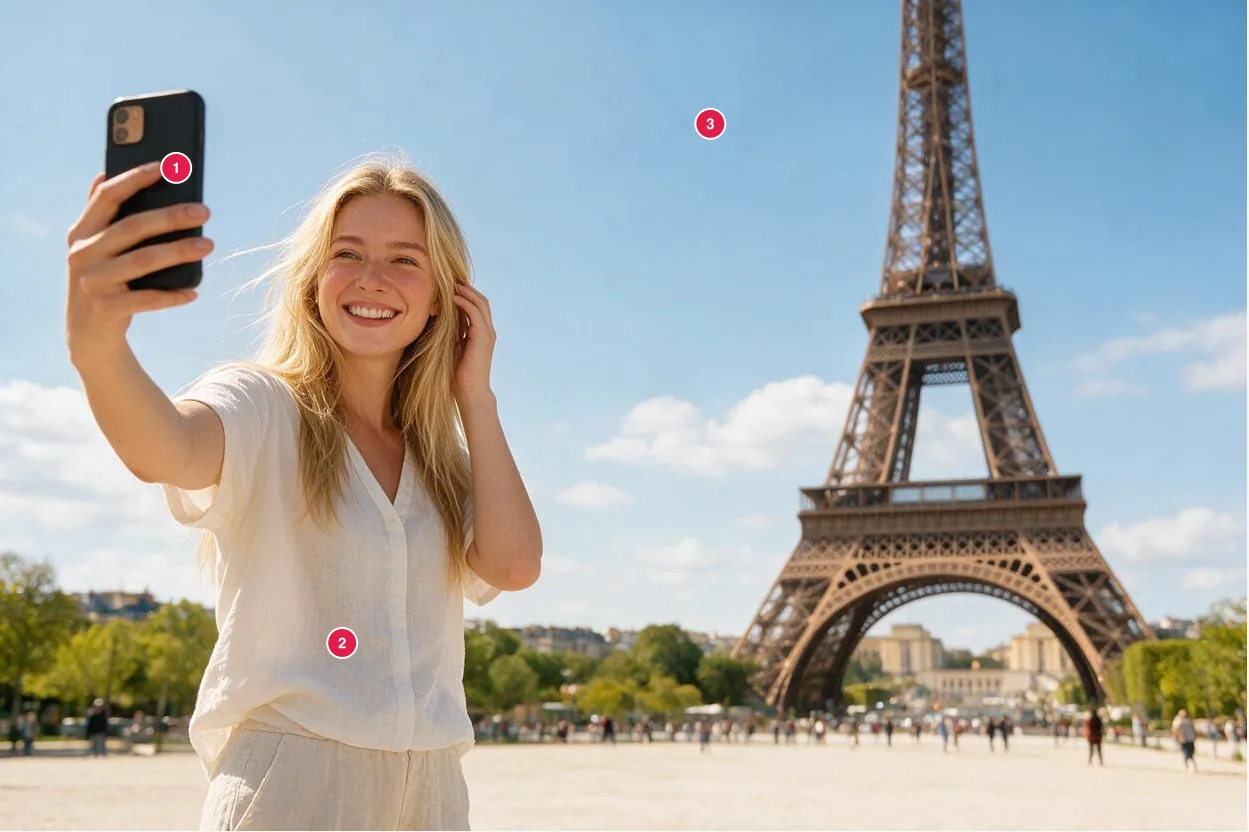
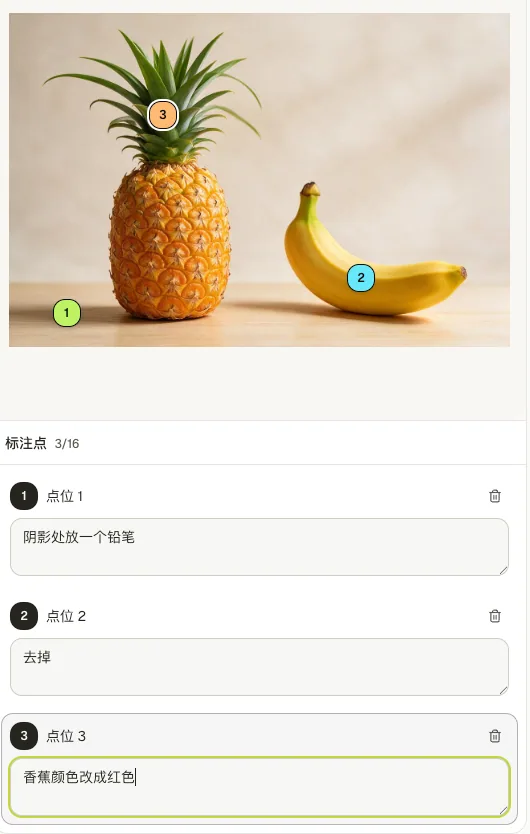
Annotated image edit
/image-annotation-editPin numbered marks on a still and describe each change. Unmarked areas stay as they are.

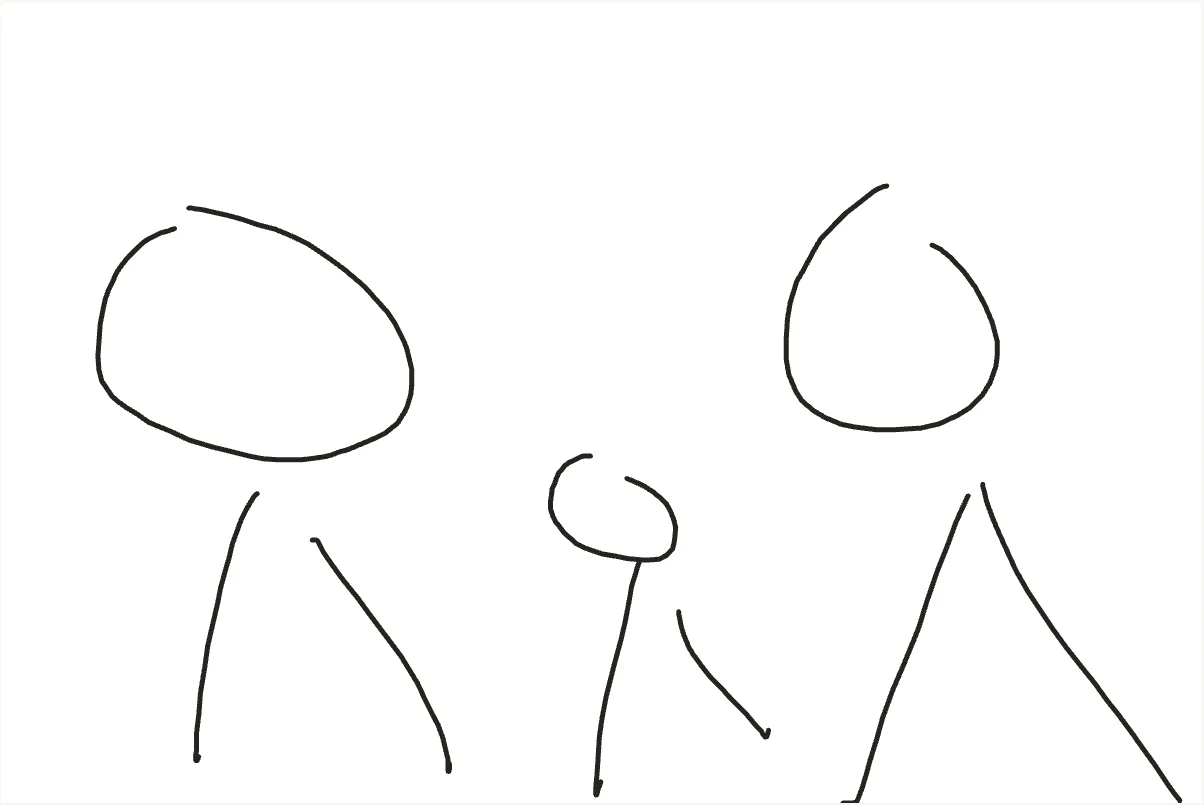
Sketch to image
/sketch-to-imageDraw a rough composition on the in-thread board. After you confirm how the agent read the sketch, Seedream finishes the still.

Marketing graphics
/app-store-graphicsSupply real product shots or app screenshots. The agent first shows a 9:16 design board for confirmation, then outputs a matching marketing set.

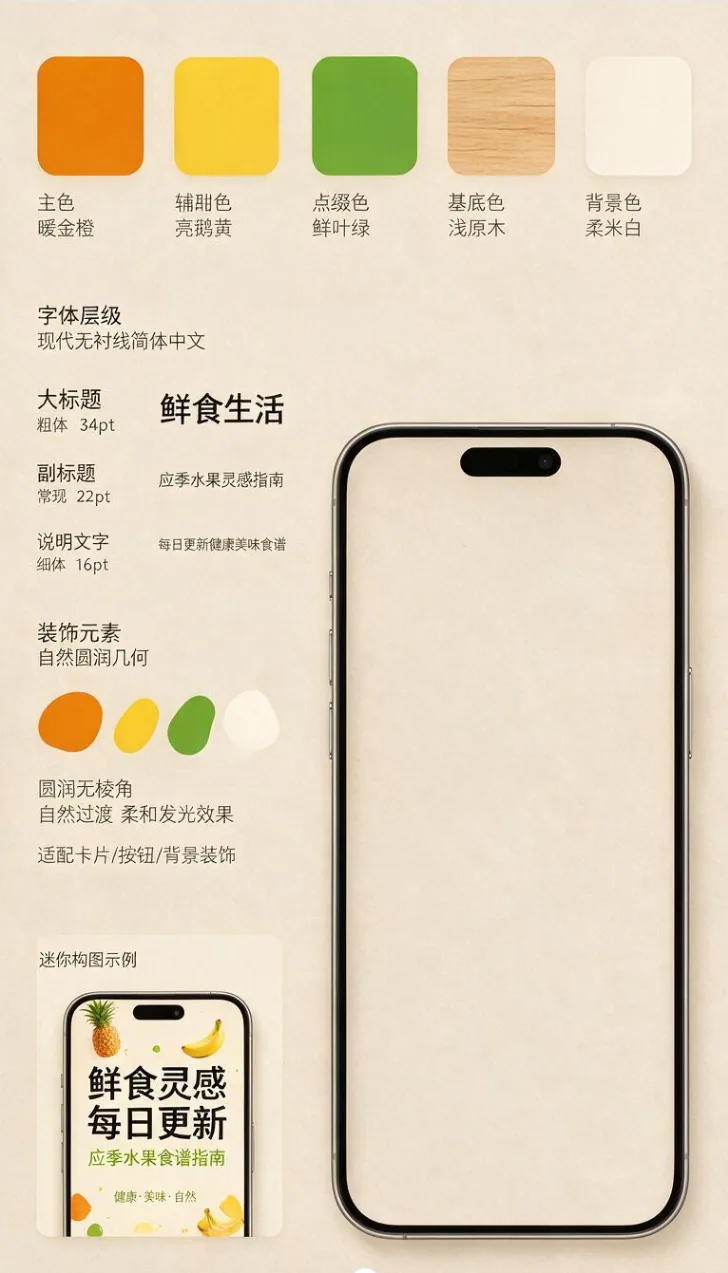
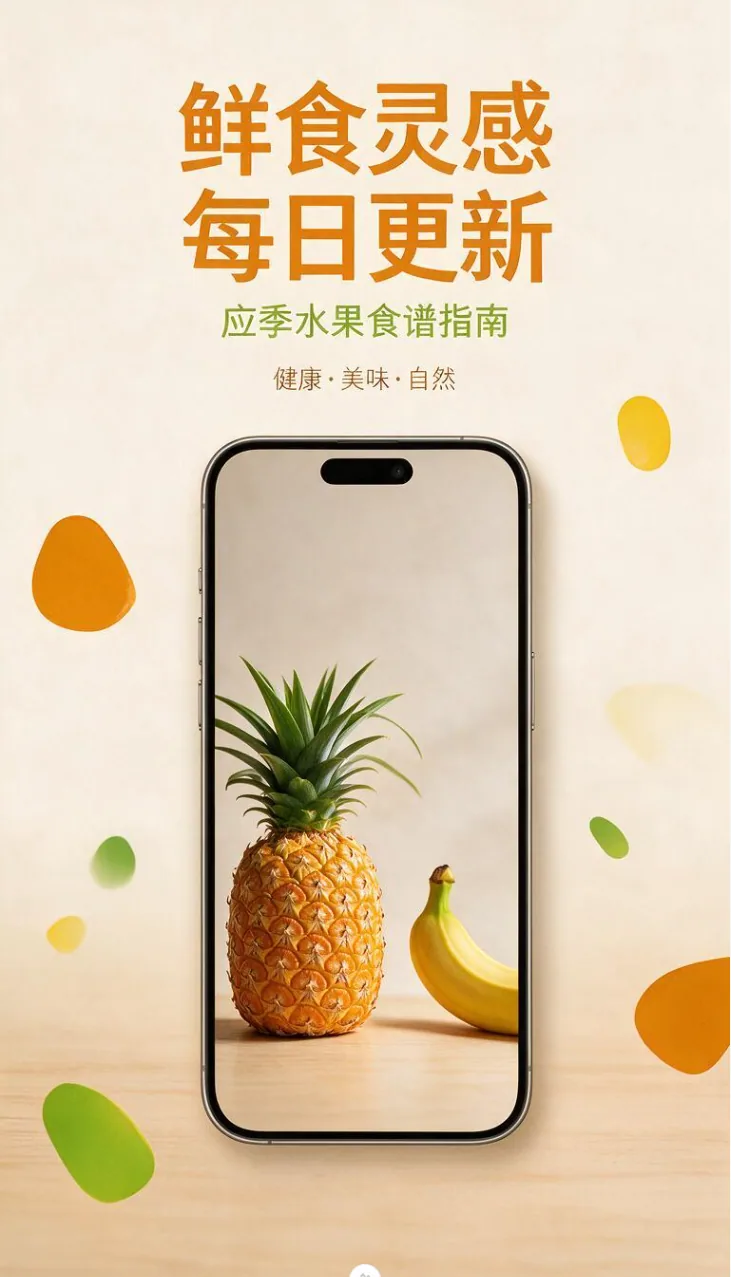
Long-form video /long-form-video is still available for multi-shot films.
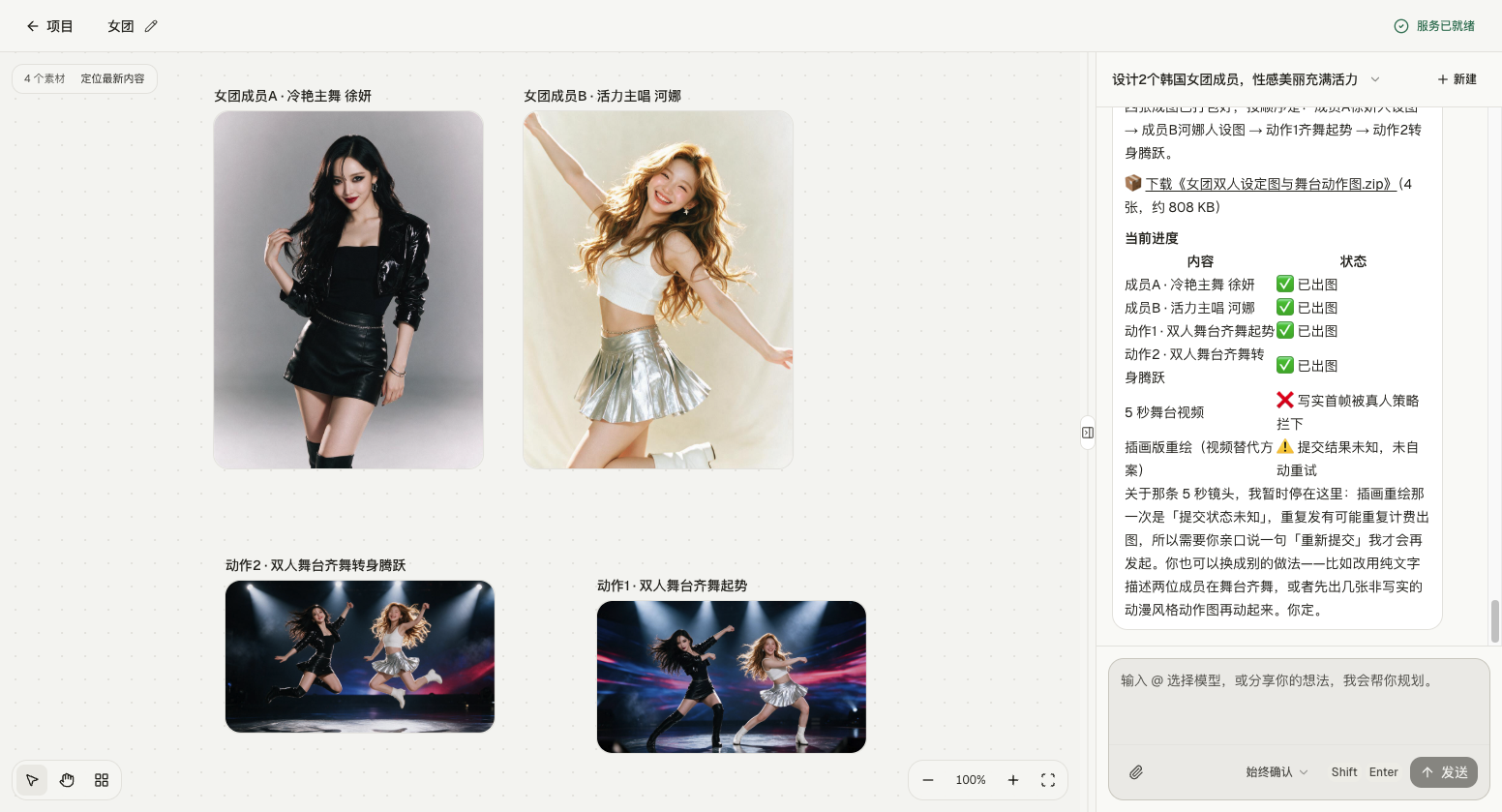
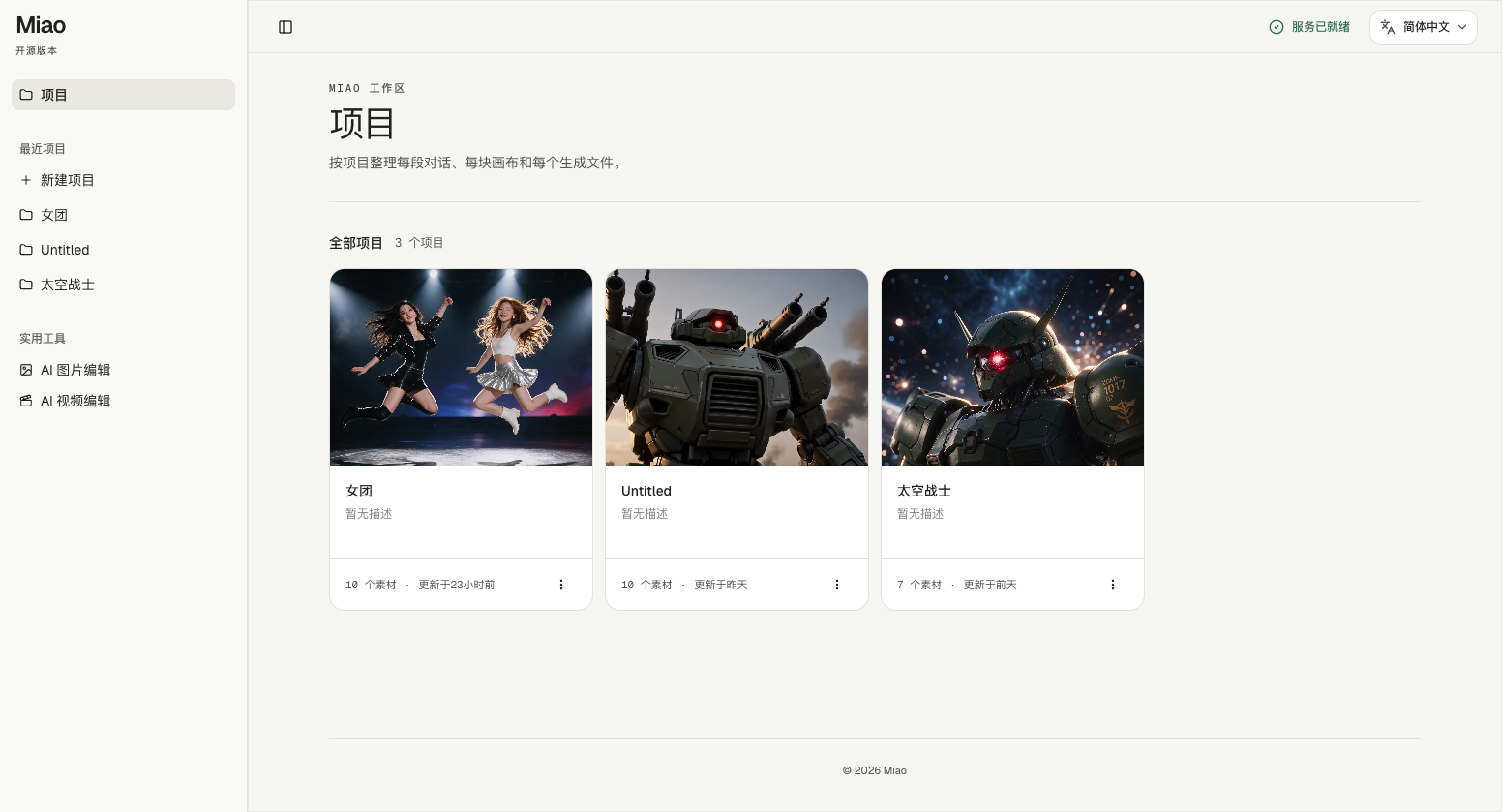
The workspace stays on your machine
Projects, chats, generation history, and media live locally. This is a real screen from the repository.
Models in the catalog
Type @ in the agent composer to pin a model. Image and video generation go through Volcengine Ark. The list is still growing.
Your workspace runs locally.
There is no Miao account. Keys live in local SQLite, not in .env. There is no hosted demo. Workspace routes are unauthenticated by design, so run the web server only on your machine or a private network.
- Projects, conversations, generation history, and media stay on your device.
- Linux and Windows can run the web app today. Packaged desktop builds are macOS-only.
- A modified build of PoloX AI, released under MIT.
Run it locally
You need Node.js 22.20+ and pnpm. You do not need pnpm build for everyday local use.
git clone https://github.com/susirial/Miao-AI.git
cd Miao-AI
pnpm i
pnpm dev
Open http://localhost:3001 and keep the terminal running. For the macOS desktop, use pnpm desktop:dev.
What to know before you clone
- What can Miao create?
- It calls text, image, and video models. From the Projects page it can walk annotated edits, sketch-to-image, and marketing graphics. It can also plan multi-shot or long-form video through an agent conversation.
- How does the infinite canvas work?
- Each generation appears as a movable canvas object. You can pan, zoom, arrange, compare, export, and reuse successful stills as references.
- Where is my data stored?
- Projects, conversations, canvas layouts, and locally archived media are stored on your machine. Generation requests go to the providers you configure.
- Can I open the app from this site?
- No. This page only introduces the repository. There is no hosted demo. Clone it from GitHub and run it on your machine.
Read the rest in the repository.
Install steps, provider setup, desktop packaging, and contributing notes live in the README. This site does not host Miao.